Git & Git-Hub 사용법
Git 명령어(git init, git push, git remote, git pull 등) 그림 정리
스프링섬머
2023. 7. 13. 19:59
728x90
이전 Git & Git-Hub란? 포스팅에서, git의 동작과정을 알아보았습니다.
https://forward-gradually.tistory.com/19
Git & Git-Hub란? 개념 및 동작원리 설명
Git & Git-Hub란 무엇인가? Git & GtiHub를 써야 하는 이유 Git flow (동작과정) Git 명령어
forward-gradually.tistory.com
이번에는 git 명령어를 알아보겠습니다.
간단히, git 명령어를 통해 원격저장소(git-hub공간)과 로컬저장소(내컴퓨터공간)을 동기화 해주기 위함입니다.
gti bash 프로그램을 설치해서 사용하면 아주 편리합니다.
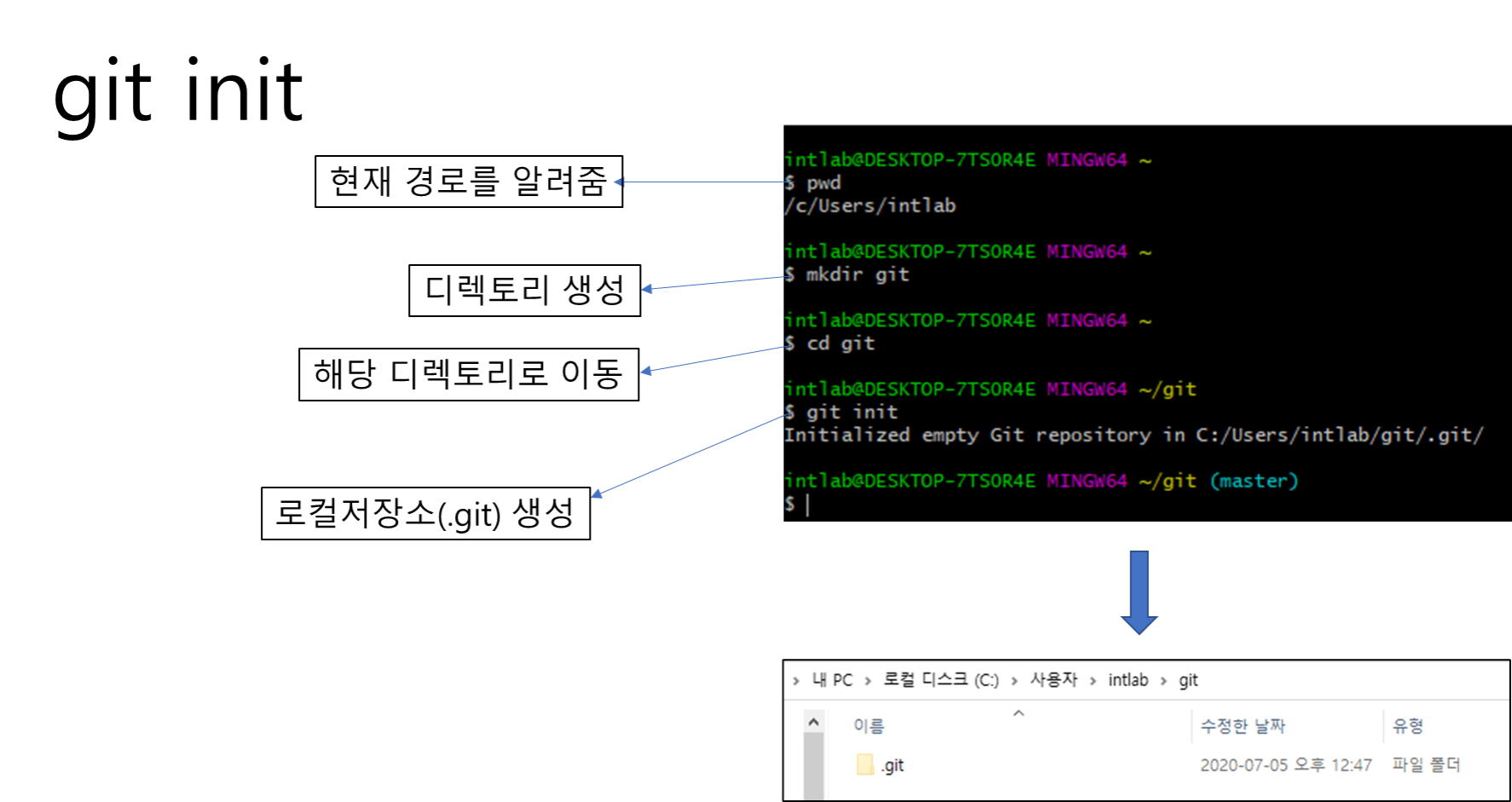
git 초기화, 로컬저장소(내컴퓨터공간) 생성
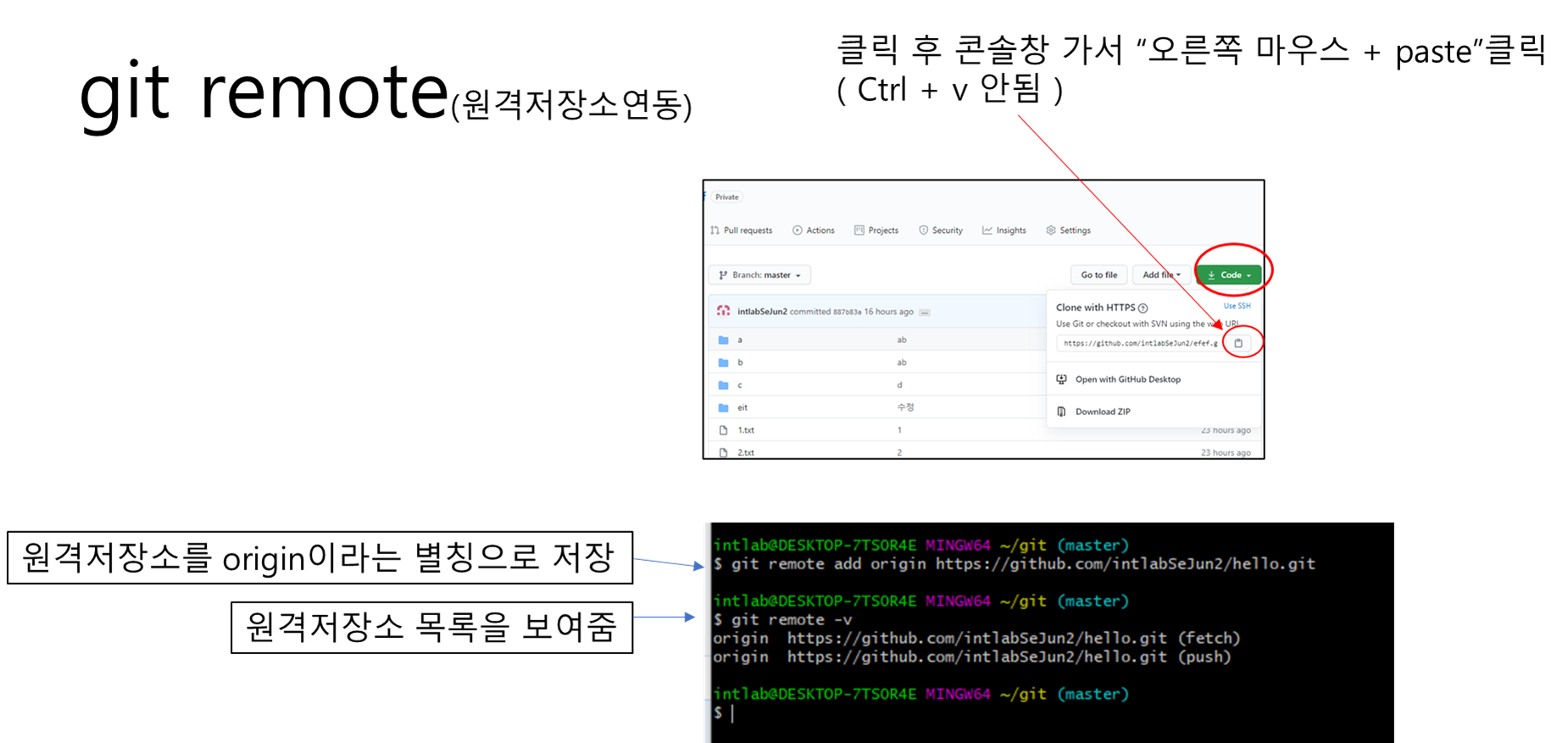
git remote, 원격저장소(git-hub 공간) 연동
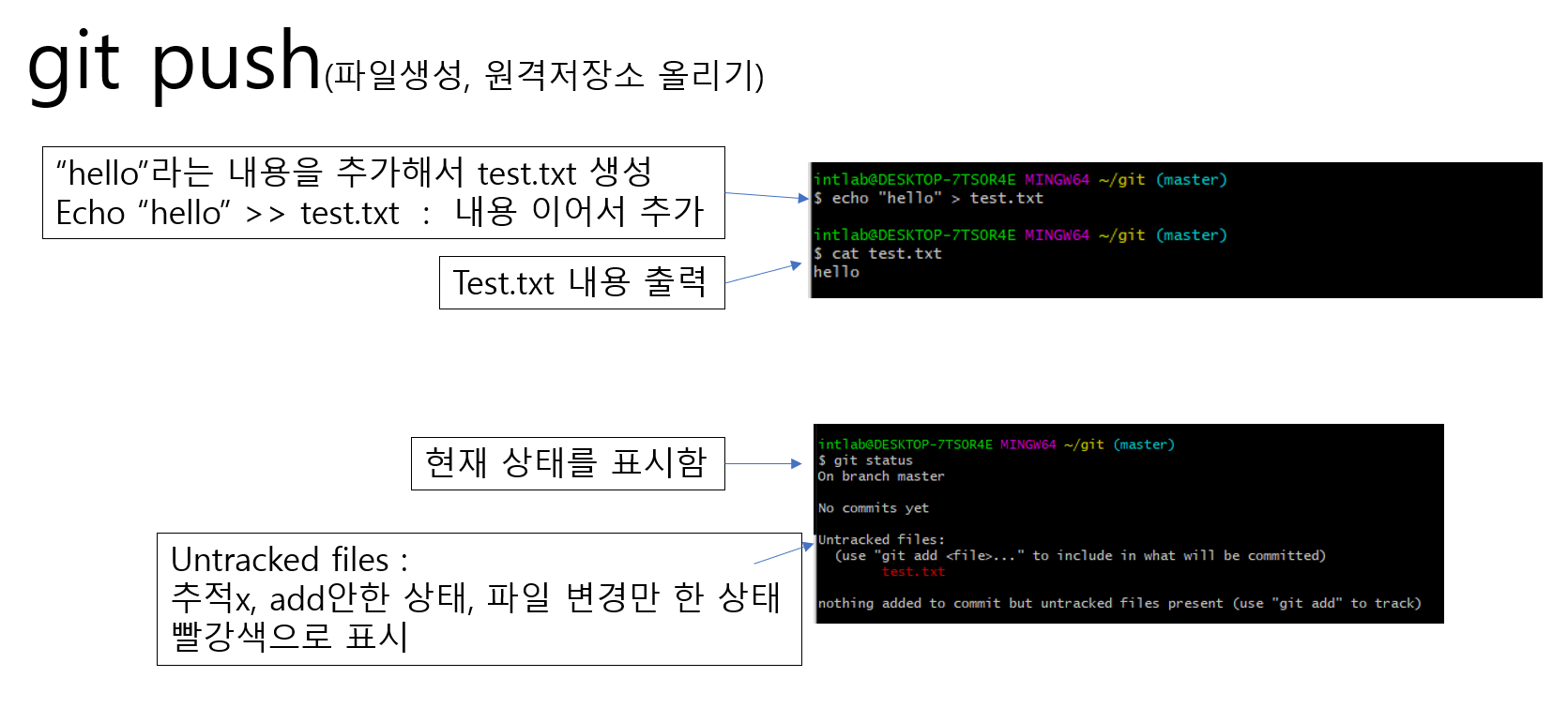
git push, 로컬저장소(내컴퓨터공간) --> 원격저장소(git-hub공간) 업로드
git log, 현재까지의 git에서 처리된 기록들을 보여줌
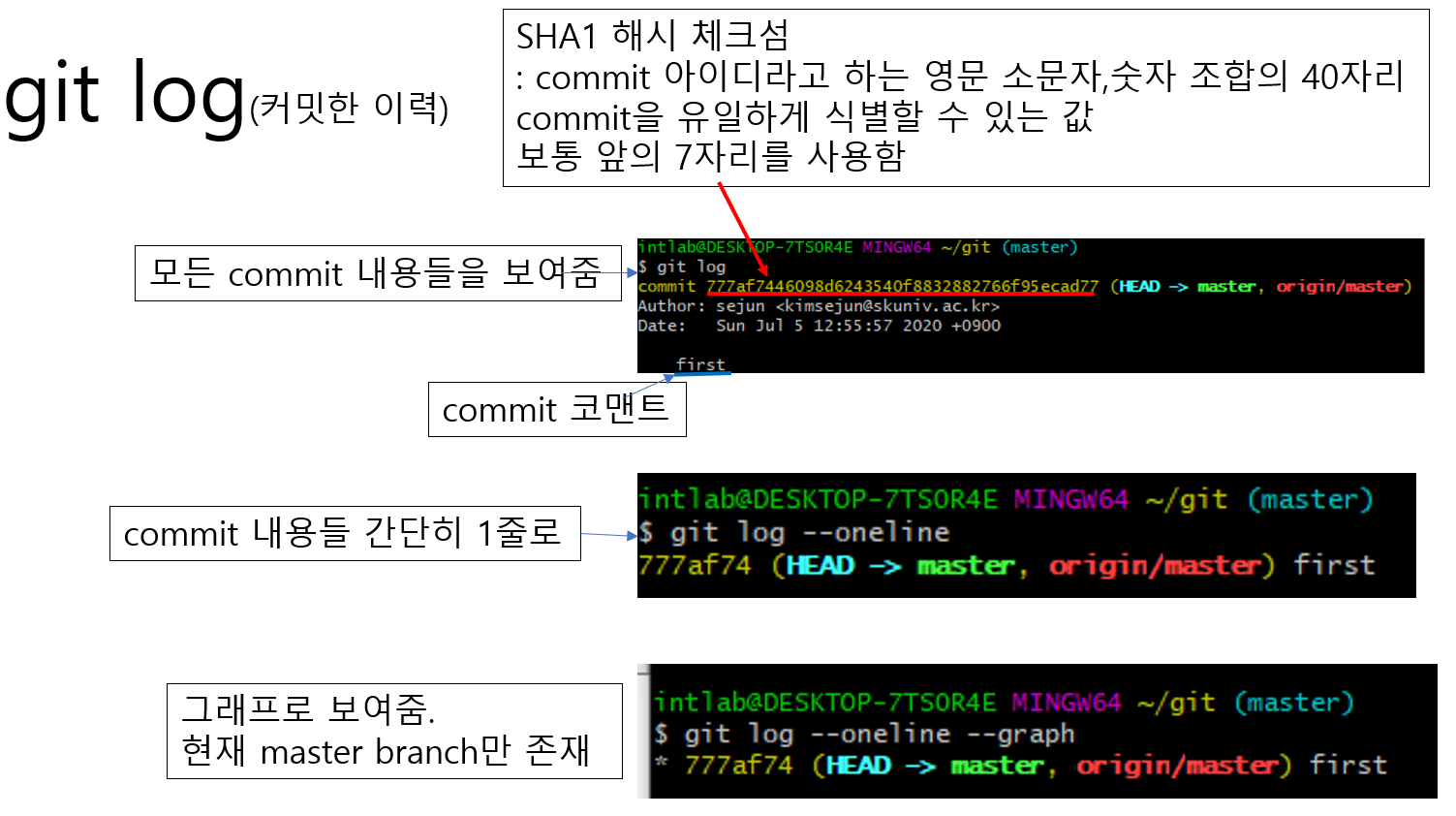
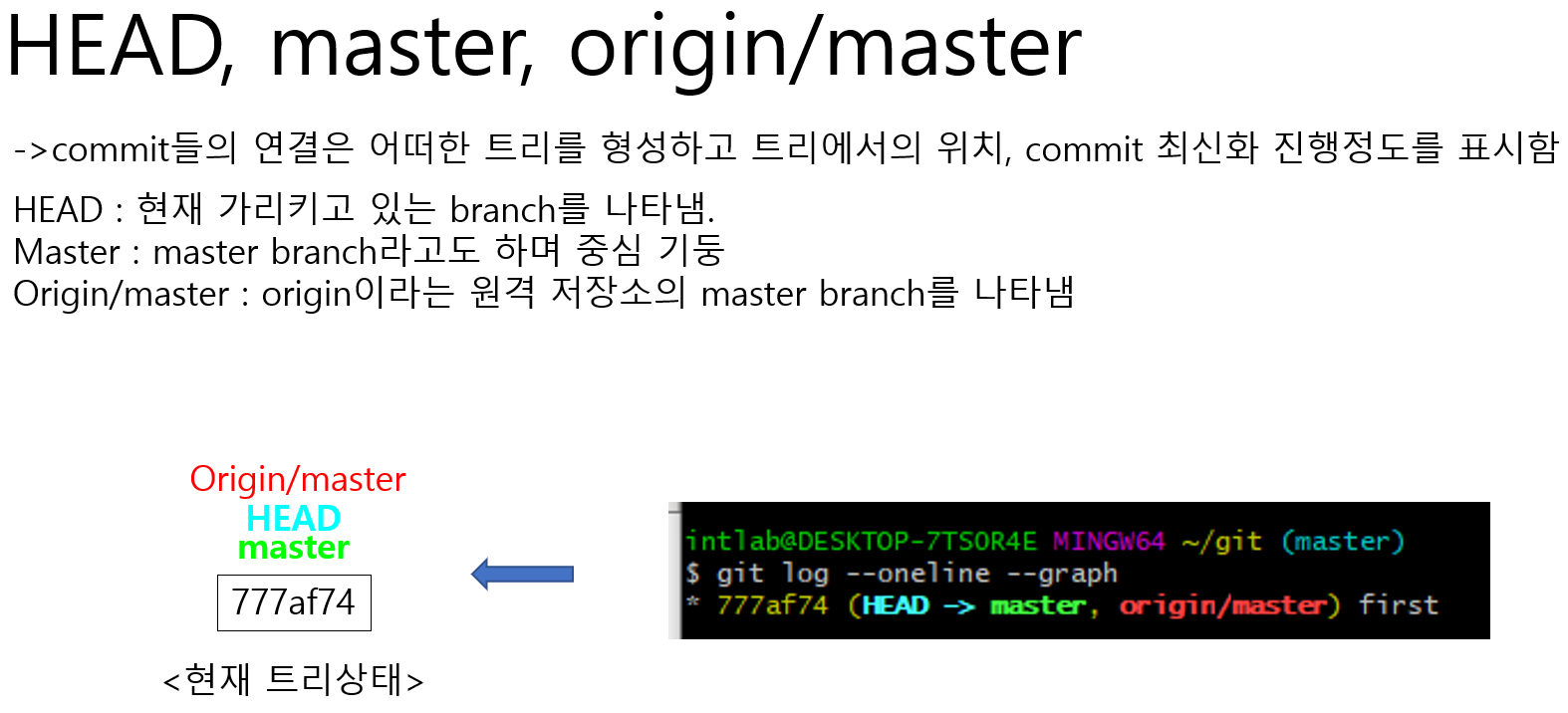
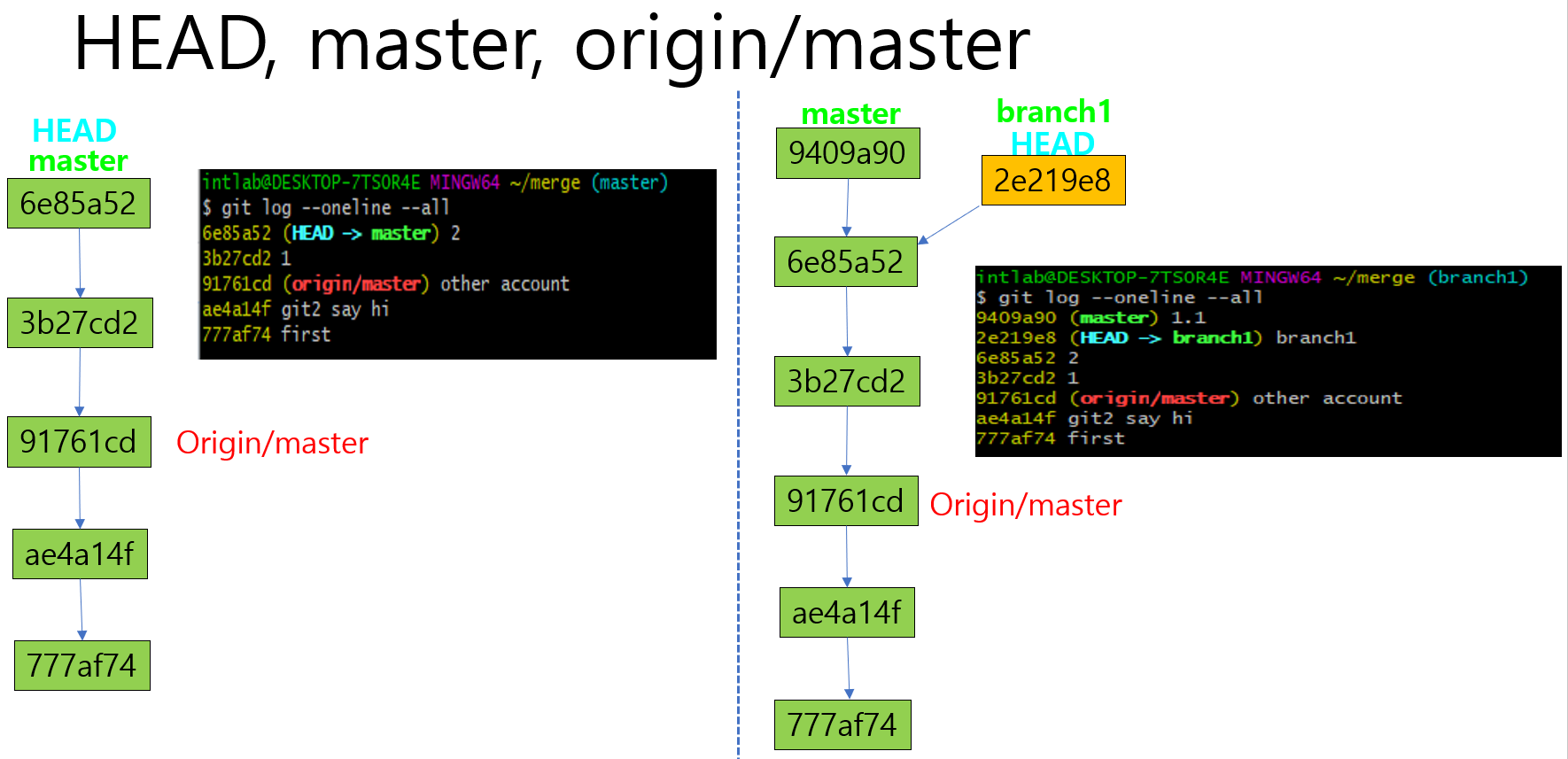
HEAD, master, origin/master 등
git clone, git pull, 원격저장소(git-hub) --> 로컬저장소(내컴퓨터)
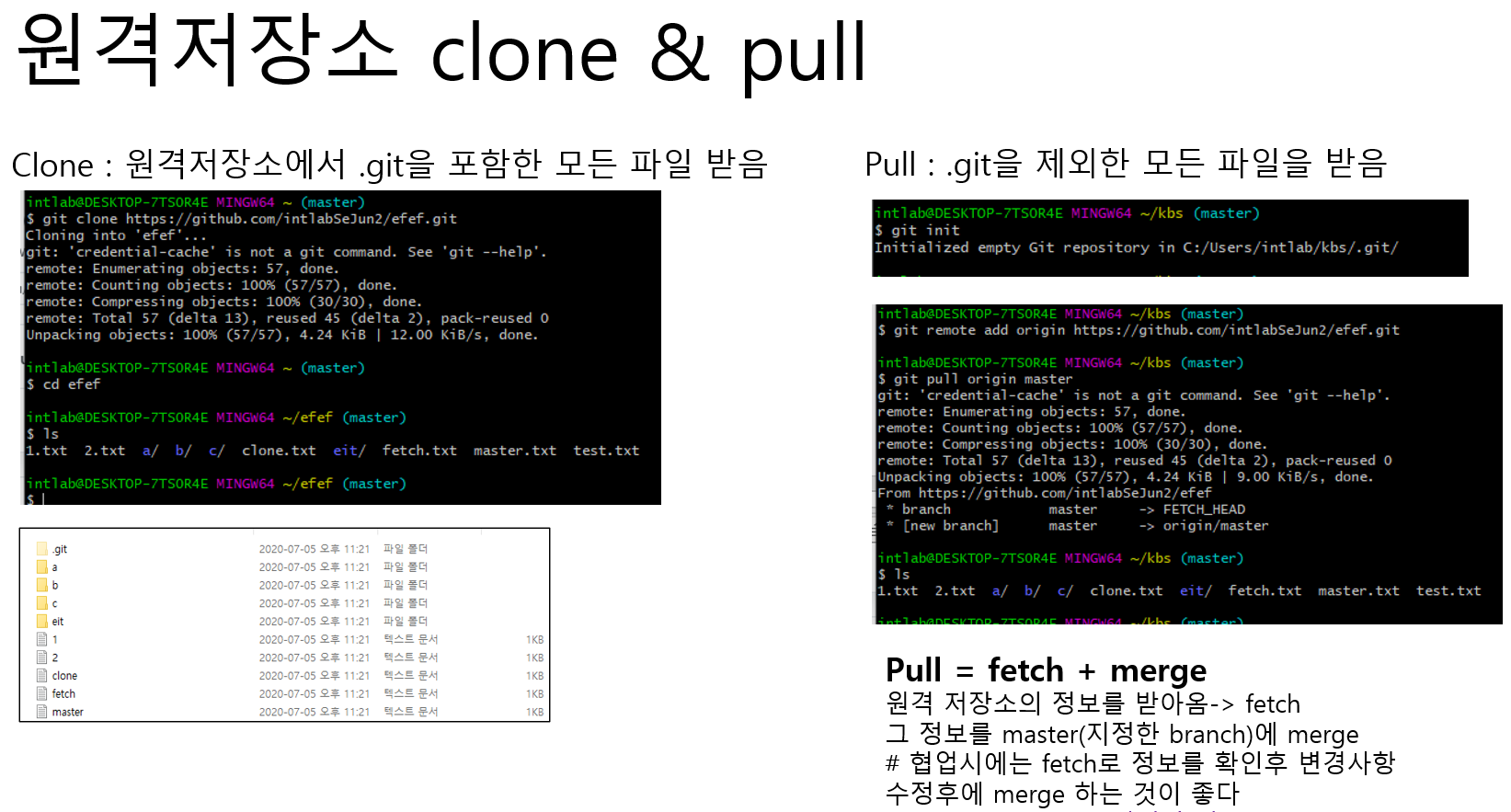
git fetch, git merge

특정 파일만 git pull

git 명령어 모음
https://forward-gradually.tistory.com/21
git 명령어 모음, git 코드 정리
Git 명령어 모음 < init > git init : 현재 디렉토리에 .Git을 생성 ( 로컬저장소 생성 ), 초기화 과정이라고도 말함. < add > git add 파일명(확장자까지) : 커밋할 파일을 add함으로써 stage에 올린다 < checkout >
forward-gradually.tistory.com
728x90